AI-Powered Quoting

From drawing to quote in minutes.

Upload an architectural PDF. MillAI reads the drawings, extracts cushion specifications, calculates linear footage, and generates a complete upholstery quote — automatically.

20 min
vs. 4 hours manually
100%
Spec accuracy on tested drawings
1 click
To client-ready PDF
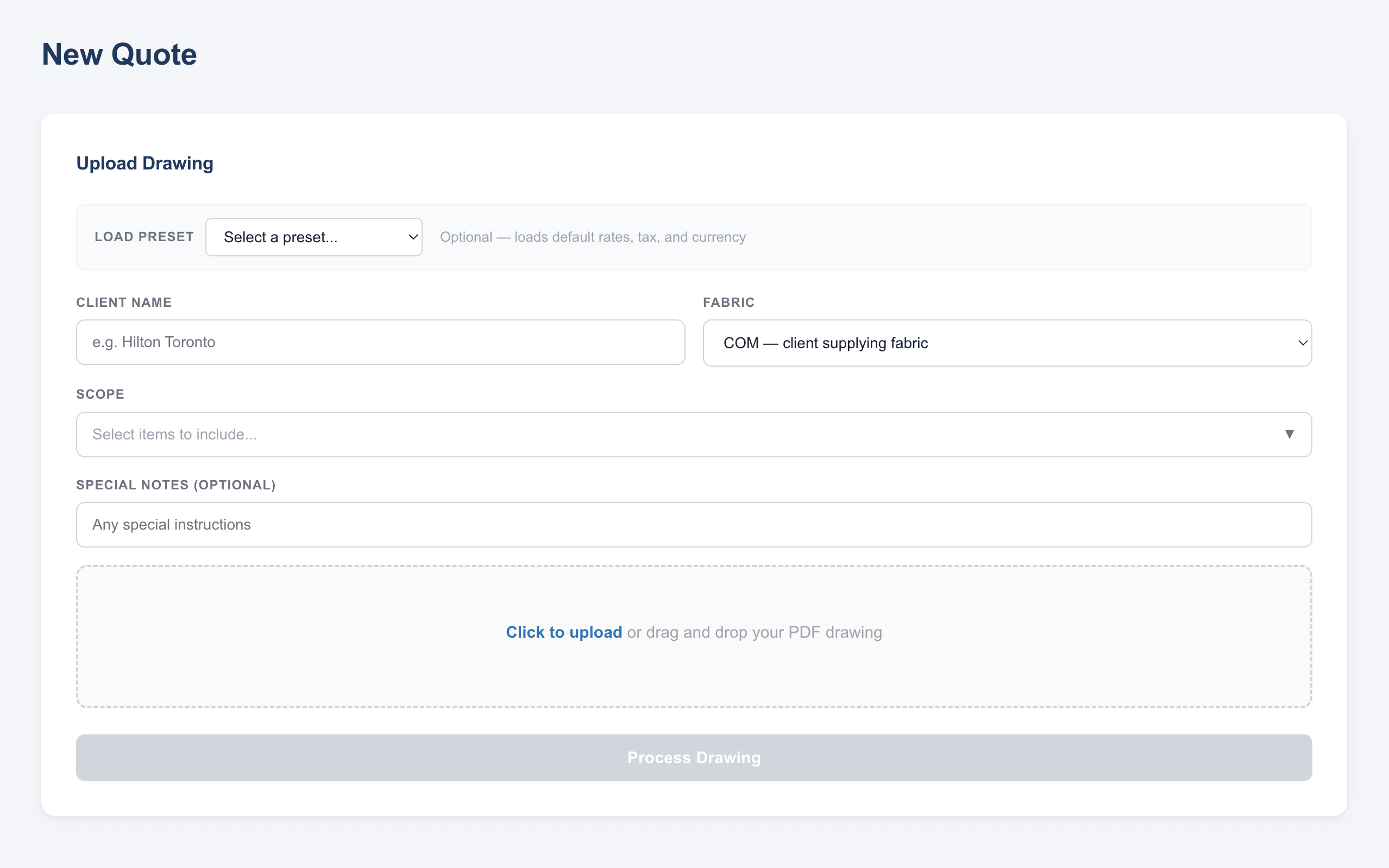
millai.ca/dashboard
MillAI Dashboard
Built for
Upholstery Manufacturers Banquette Fabricators Commercial Furniture Hospitality Suppliers
How it works

Three steps. Zero manual measuring.

What used to take your team half a day now happens while you have your morning coffee.

01

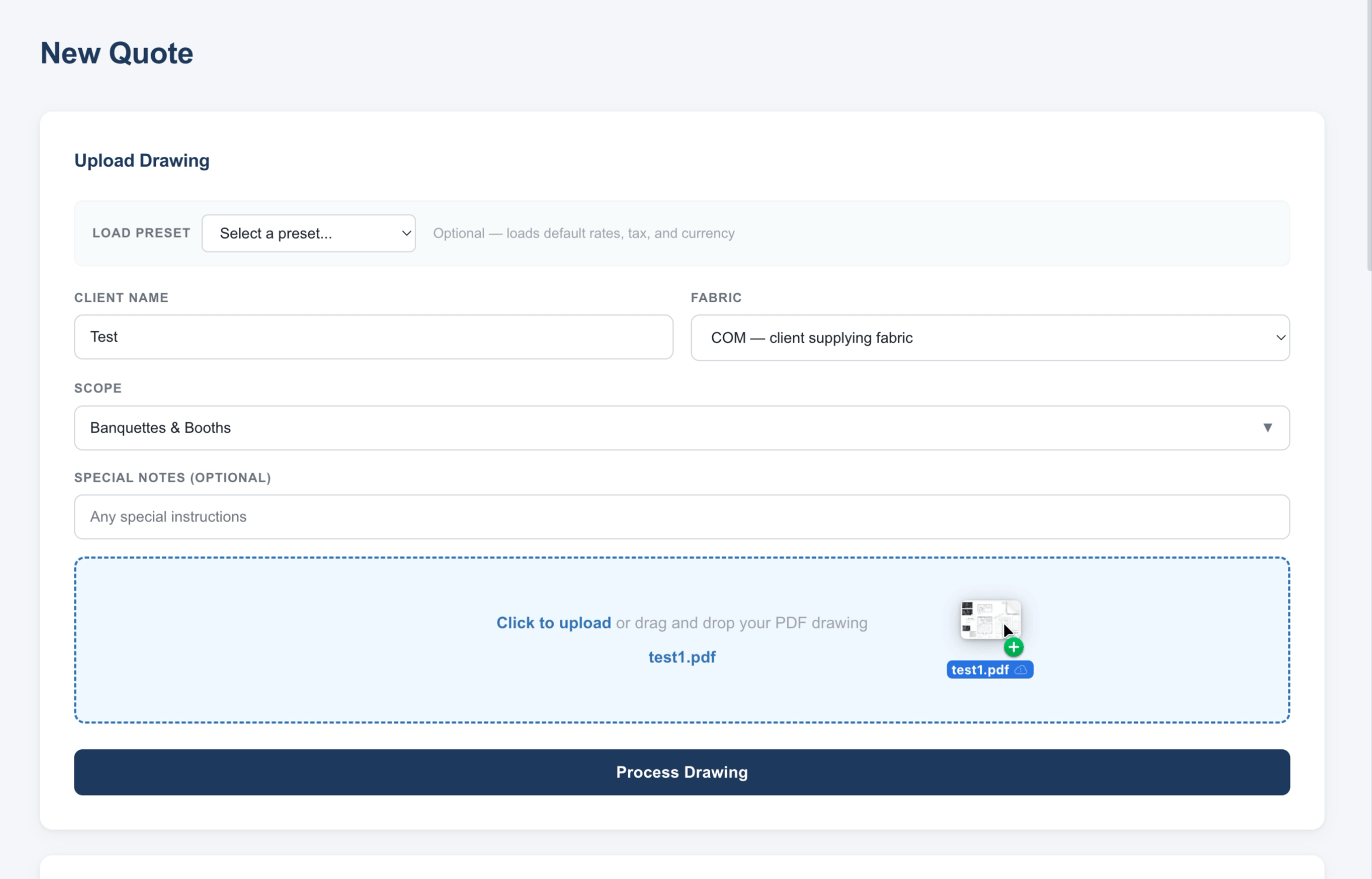
Upload the architectural drawing

Drag and drop any PDF from an architect or designer. Select the scope — banquettes, booths, chairs, sofas, or the full furniture package.

Accepts any architectural PDF format
Select scope per project
Load client presets for faster setup
Upload drawing
02

AI reads and extracts everything

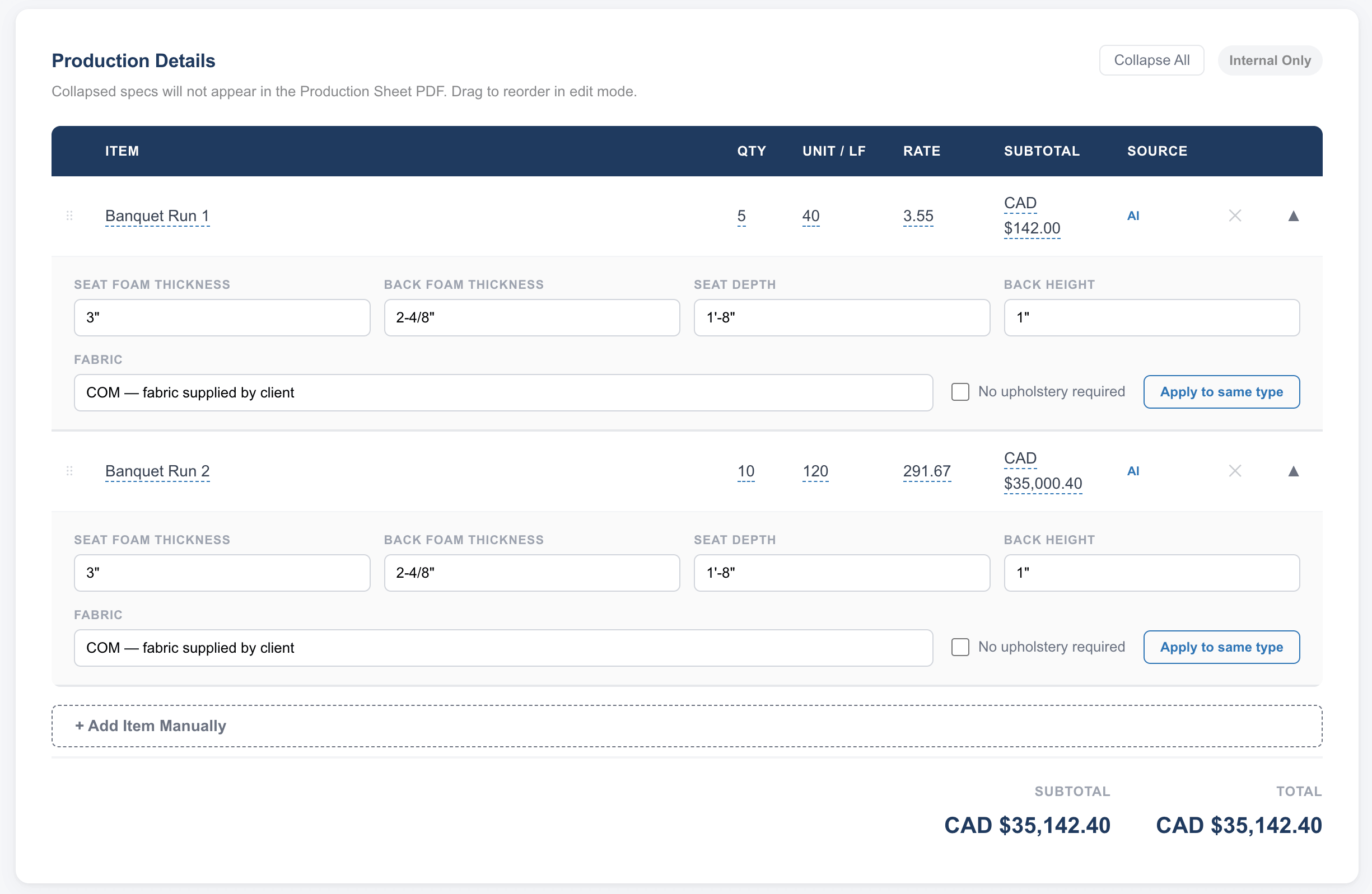
MillAI scans every page of the drawing. It finds cushion specifications, calculates linear footage per run, identifies item types, and flags anything missing.

Seat and back foam thickness extracted
Linear footage calculated per run
Missing specs flagged for review
AI extraction results
03

Review, edit, and send the quote

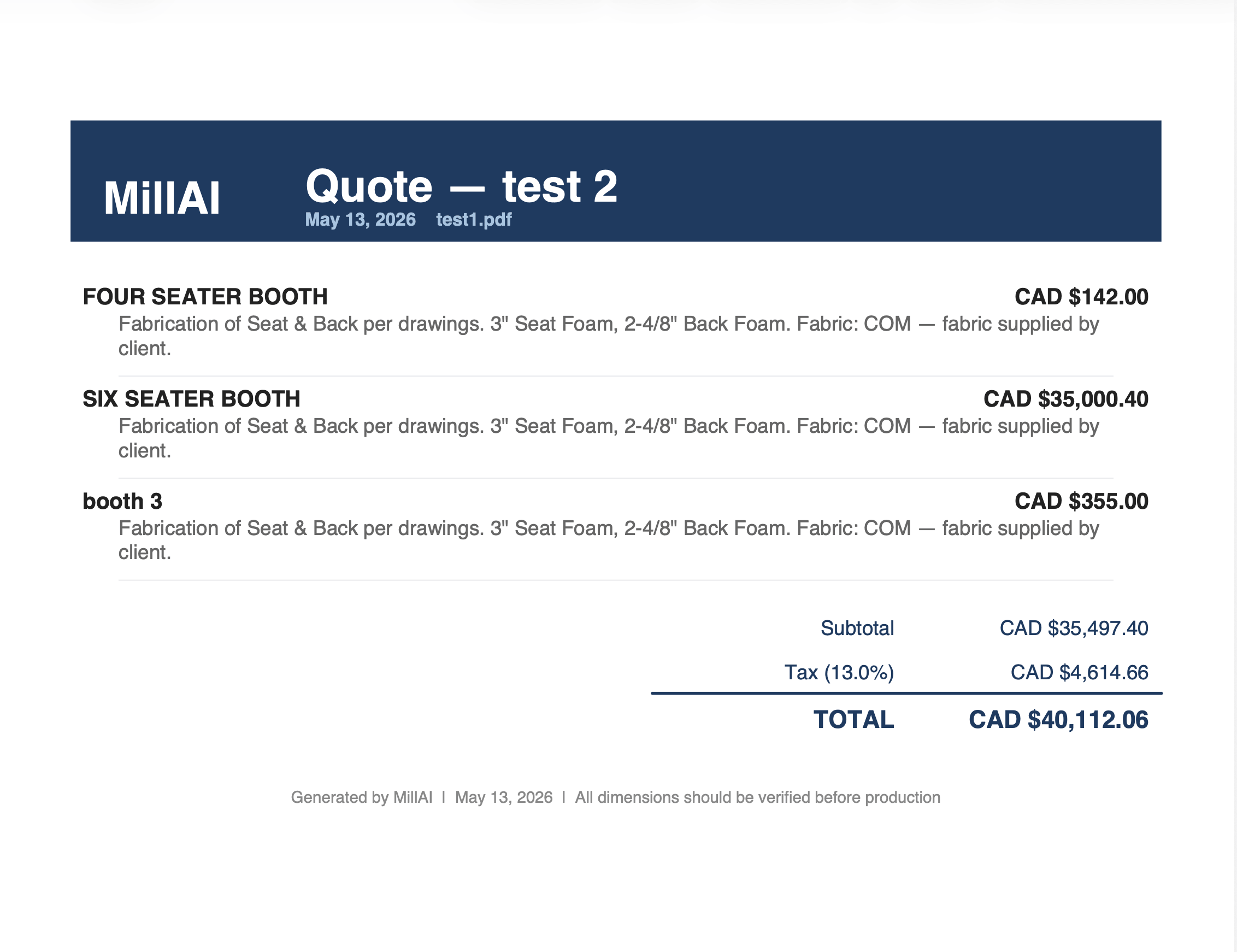
Every field is editable. Adjust prices, update specs, add manual items. Download a professional client quote PDF and an internal production sheet in one click.

Edit any value before downloading
Separate client quote and production sheet
All projects saved to history
Quote details
Features

Everything your estimating team needs.

Built specifically for upholstery and furniture manufacturers who work from architectural drawings.

Drawing Intelligence

Reads section details, furniture schedules, and floor plans. Handles multi-page drawings automatically.

Fully Editable Results

Every extracted value is editable. Change a spec and the quote description updates automatically.

Two-Document Output

Client-facing quote and internal production sheet generated separately from the same data.

Client Presets

Save pricing, tax rates, and cushion defaults per client. Load them instantly on the next project.

Project History

Every quote saved automatically. Reopen, edit, and re-download any past project at any time.

Invitation Only

Your drawings and quotes stay private. No public access. No data sharing.

See it on your own drawings.

Request a demo and we'll run one of your actual project drawings through MillAI live.

We'll respond within one business day.